EBay Reseller Scanner
Automate Tax Receipts
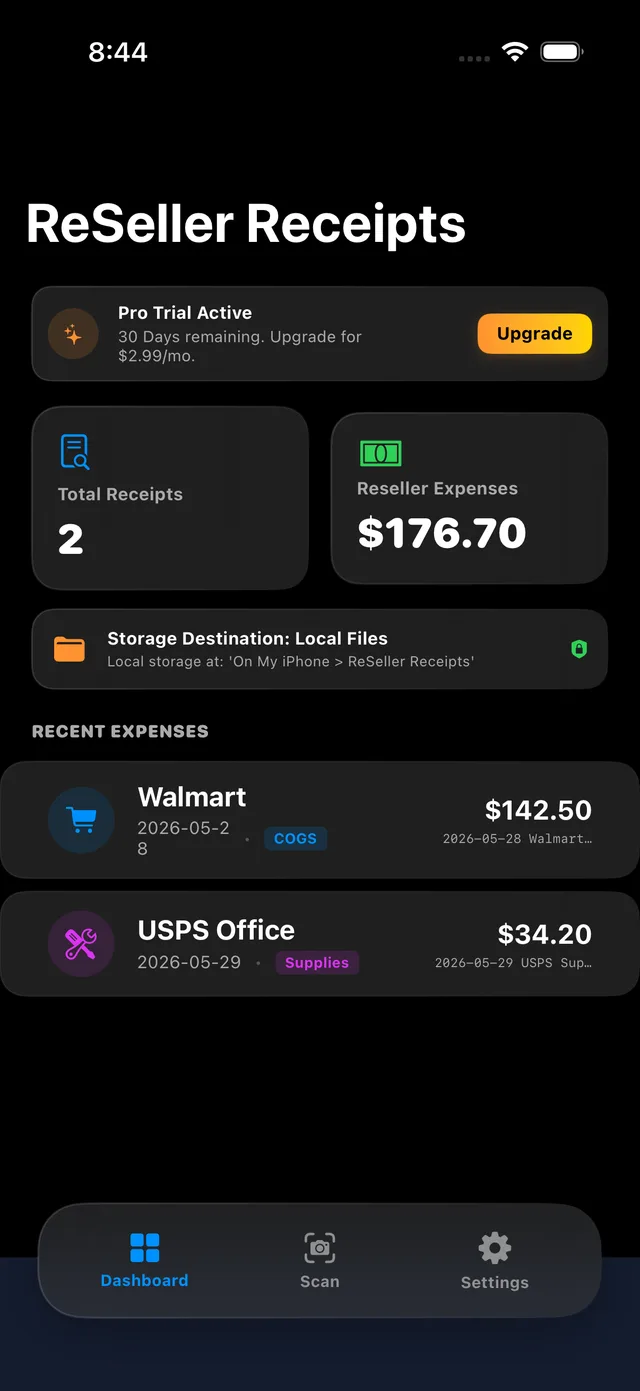
Keep your accountant happy and your tax records spotless. ReSeller Receipts utilizes fast native edge-detection to crop and scan paper receipts on the go. Automatically extract transaction totals, assign tax-deductible categories, and archive files directly in your native iOS Files app directory with standardized names.

 Roadmap
Designed for E-Commerce & Retail Sellers
A native utility that completely automates your tax filing preparations.
High-Fidelity OCR Scanner
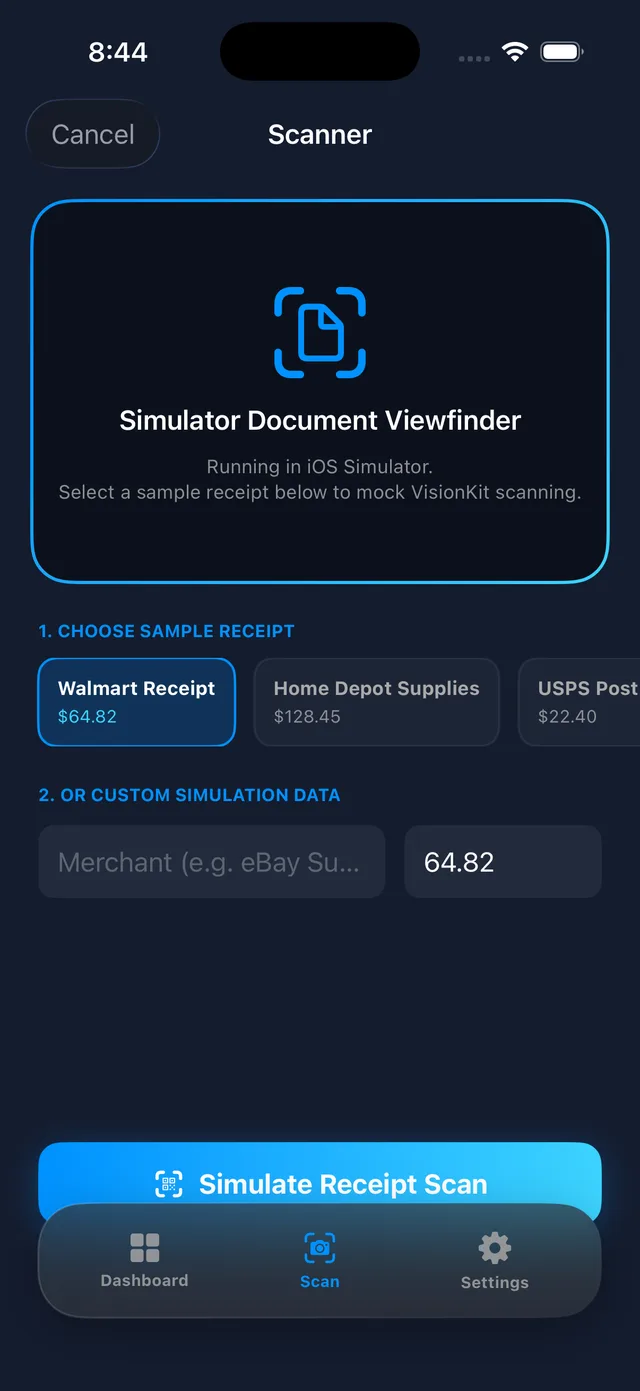
Point your camera at any paper invoice. High-precision OCR automatically extracts the merchant name, date, and final receipt totals, saving you manual input.
Reseller Tax Categories
Assign purchases instantly to dedicated tax-deductible groups like Cost of Goods Sold (COGS), Shipping Supplies (boxes/tape), Office Equipment, meals, or gas trips.
Automated Naming Schemes
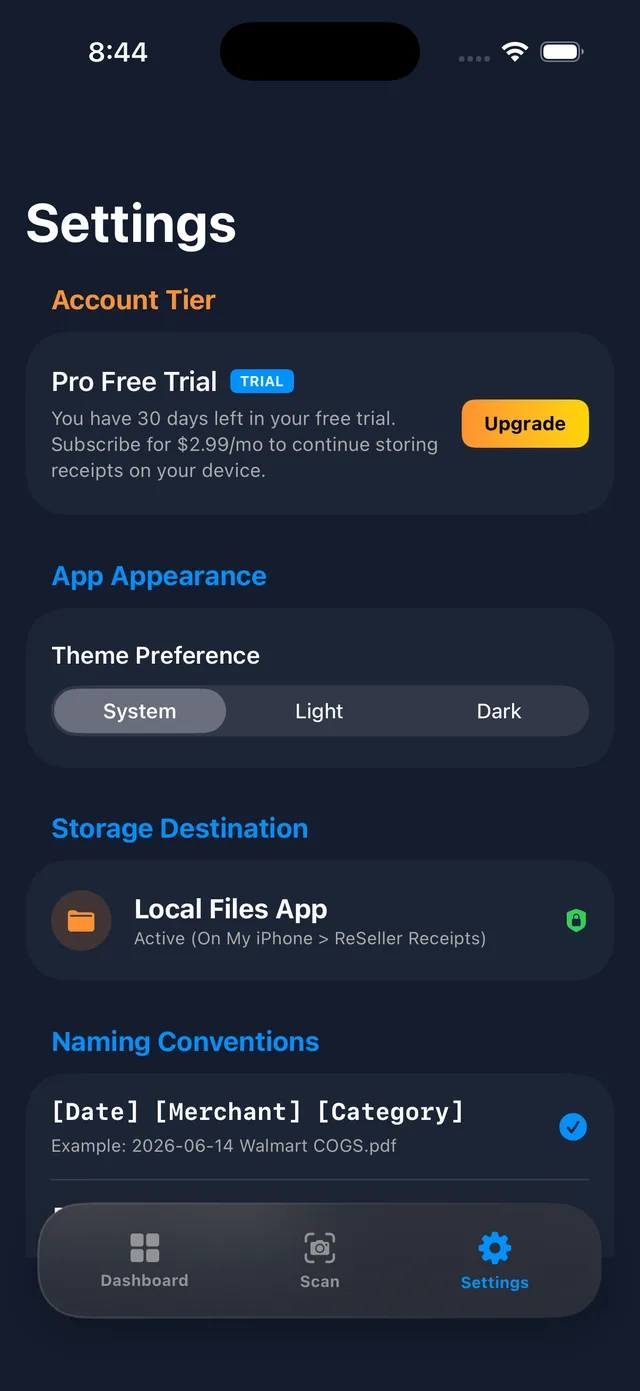
Standardize your files automatically. Choose a default format and watch the app auto-generate structured, clean filenames (e.g. 2026-06-01_Walmart_COGS.pdf) with real-time preview.
Secure Local & iCloud Archive
Save directly to your device or cloud. Your scanned receipts are stored natively on your device under On My iPhone > ReSeller Receipts or synced via iCloud Drive for access across all your Apple devices.
Frequently Asked Questions
Everything you need to know about ReSeller Receipts for iOS.
How does the receipt scanner work?
ReSeller Receipts uses modern, native optical character recognition (OCR) and high-speed edge detection to crop the paper invoice, auto-detect the store merchant, and parse the total expense amount automatically.
Where are my scanned receipts stored?
By default, scans are stored locally on your device under the On My iPhone > ReSeller Receipts folder in the Files app. You can also configure the app in Settings to save directly to your private iCloud Drive, ensuring access across all your Apple devices.
What tax categories are supported?
The app currently includes support for five primary reseller tax-expense categories: Cost of Goods Sold (COGS), Shipping Supplies (boxes, tape, printer ink), Office Equipment (computers, shelves), Business Meals, and Sourcing Vehicle Gas.
Is my receipt database secure and private?
Privacy is our core tenet. All receipt text parsing and OCR extraction are performed entirely on your iPhone. We do not transmit your scans, financial records, or store databases off-device. Your documents remain strictly in your private local storage, accessible via the native iOS Files app.