
The Simple Book Box Cataloger
For Community Stewards
My Library Helper is the ultimate mobile barcode scanner app designed specifically for community organizers, Little Free Library stewards, and neighborhood book box hosts. Rapidly catalog book exchanges, organize digital bookshelves, and share lists in seconds without tedious manual typing.
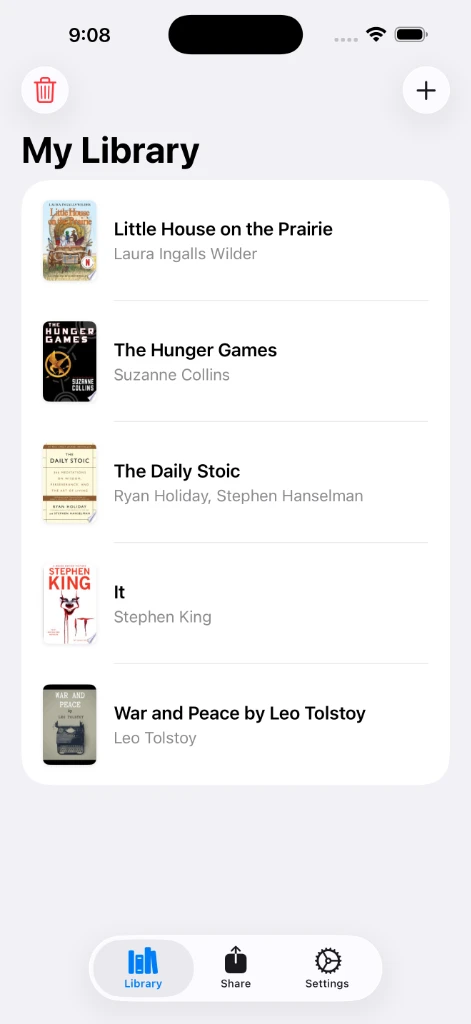
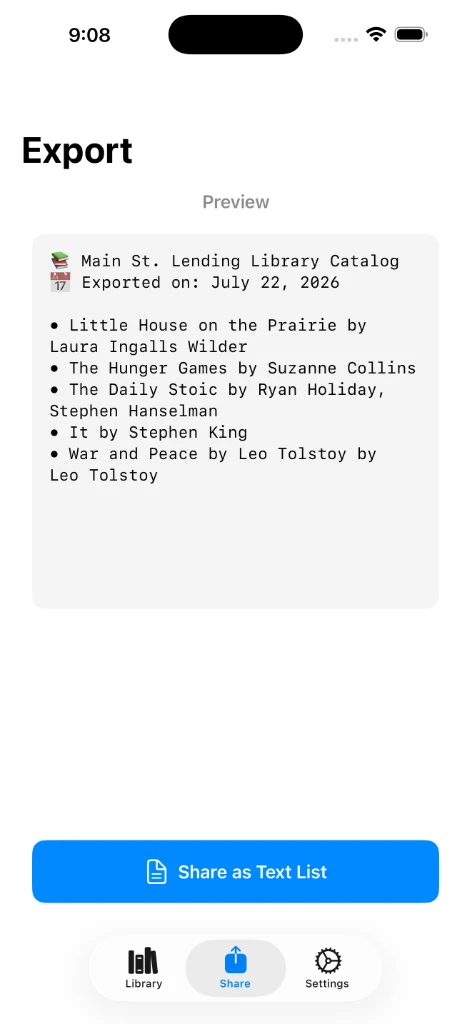
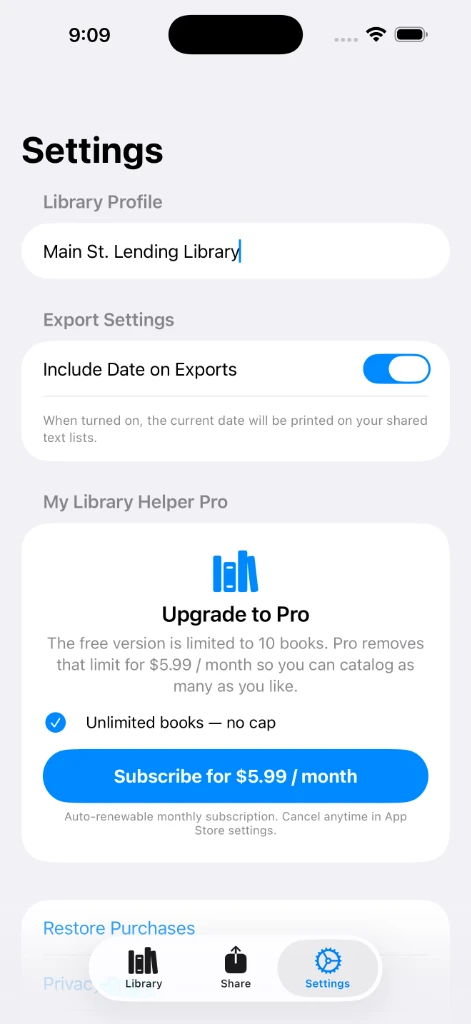
Perfect for Little Library Stewards
Easy tools to help you manage and share your community book exchange with neighbors.
High-Speed Batch Scanning
Point your camera at a barcode to scan. Trigger batch scanning to quickly log entire stacks of books in sequence without leaving the scanner view.
Automatic Book Details
Instantly fetches the book's title, author, and beautiful cover art. It builds a neat digital library shelf of your community books automatically.
Share with Neighbors
Export your community book lists to easily post updates to local groups, send texts, emails, or even print a physical catalog sheet to tape to your library box.
100% Offline & Private
Your library list is stored safely on your device. Zero tracking, zero telemetry, and camera access is processed entirely locally at the book box.
Video Tutorials
Learn how to use My Library Helper with these quick visual guides.
1. Scan a Single Book
A quick walkthrough of scanning individual book barcodes to automatically fetch titles, authors, and cover art details.
2. Scan Multiple Books
Learn how to trigger the batch scanning mode to log stacks of library books rapidly without leaving the camera view.
3. Share Your Books
Discover how to export your digital catalog library database and share structured text formats via SMS, Email, or Socials.
Flexible Options
Use My Library Helper for free up to 10 book scans, or upgrade to Unlimited for complete cataloging freedom.
Free
Perfect for trying out the scanner.
- Up to 10 Book Barcode Scans
- Automatic Title, Author & Cover Art
- Offline Digital Catalog Shelf
- Standard Book List Sharing
- Unlimited Book Barcode Scanning


Unlimited
Try before you subscribe — 10 free scans included, no credit card required.
- Unlimited Book Barcode Scanning
Get My Library Helper for Android
My Library Helper is now available for Android! Download it directly from the Google Play Store to start cataloging your books today.
Frequently Asked Questions
Everything you need to know about My Library Helper for iOS & Android.
How does the app find book details?
When you scan a barcode, the app instantly checks our global online book catalog to automatically fetch the matching book cover, title, and author. It handles all the details for you in an instant.
Can I use the app without an internet connection?
Yes! Your book lists are saved directly on your phone. You can browse, edit, and search your collection even when you are offline by your community book box. An internet connection is only needed when scanning a brand-new book for the first time to fetch its information.
Is My Library Helper free to use?
Yes! You can download the app for free and scan up to 10 books. To unlock unlimited barcode scans, you can upgrade to the Unlimited plan for $2.99/month.
What device permissions does the app request?
My Library Helper requests Camera permission exclusively to scan book barcodes. The camera feed is processed entirely on your device and is never uploaded or shared. The app operates 100% offline with zero tracking, data collection, or external analytics, ensuring complete privacy for your neighborhood library catalog.
How can I ask a question or suggest an idea?
We would love to hear from you! You can send us a message directly using the contact form at the bottom of this page. We read all feedback and release updates regularly to support our community.
Send Us a Message
Have a question or feedback? Contact us directly using the form below.